

Why compare models before buying?
First-time buyers face trade-offs more than features: screen quality, CPU class, repairability and resale all interact. A clear comparison separates models that suit everyday office work from those built for photo editing or light gaming. If your budget-conscious search starts with promotions, check current all in one computer deals to see which configurations routinely appear on discount cycles—those patterns tell you what’s likely to be available and where manufacturers compromise.
Platform and performance: what matters most
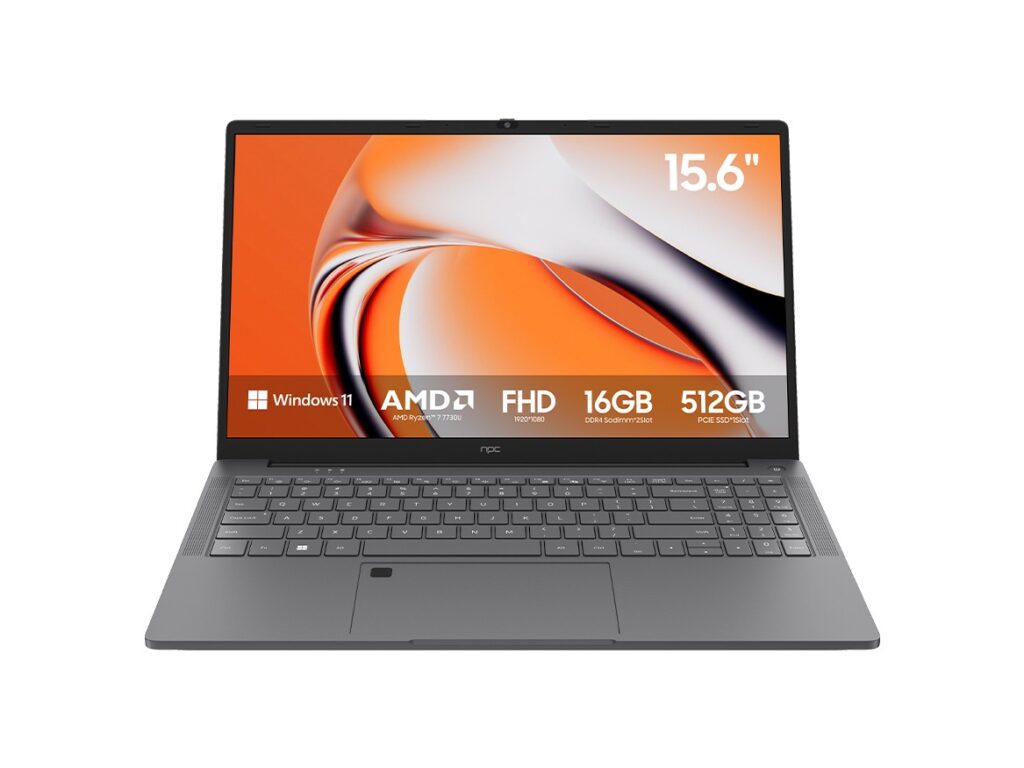
Pick the operating system that matches the software you use. Choose Windows for broad app support and legacy drivers, macOS for color-critical creative workflows and system-level stability, and ChromeOS for simple, browser-driven tasks. Prioritize CPU generation over headline core counts: recent midrange processors deliver better single-thread performance than older high-core-count chips for everyday tasks. For memory, start at 16 GB if you plan multitasking with large browser sessions or creative apps; 8 GB is acceptable only for basic web and office use. Storage should be NVMe for speed; a 512 GB drive balances OS, apps and room for files without immediate upgrades.
Display, ergonomics and living-space fit
All-in-ones claim to save space—evaluate the display beyond diagonal size. Ask for native resolution, color gamut coverage (sRGB vs. Adobe RGB) and measured brightness for rooms with windows. Tilt and height adjustability define daily comfort; a VESA mount option matters if you plan a multi-monitor setup or wall placement. Touchscreens add convenience for casual use and shared family tasks but add cost and reflectivity. Matte finishes reduce glare for bright rooms.
Ports, upgradability and longevity
Count real-world ports: at least two USB-A, two USB-C with one supporting PD (power delivery) and a wired Ethernet port if you need stable transfers. Thunderbolt is valuable for external GPUs or fast docks. Verify RAM and storage upgrade paths; some all-in-ones solder components to save space. If upgradeability is limited, buy the highest practical specs now rather than plan on future internal upgrades.
Common mistakes first-time buyers make
Underestimating thermal behavior leads to noisy throttling under sustained load. Relying on marketing terms like “desktop-class” without checking benchmark results creates false expectations. Choosing minimal RAM because an OS runs “fine” in store demonstrations ignores real-world multitasking. Finally, assuming a glossy display equals color accuracy can derail creative work; ask for measured color coverage or check professional reviews.
Alternatives worth considering
Desktops with compact towers often offer better cooling and upgradeability for similar prices. Laptops give portability and sometimes superior battery-backed performance for remote work. For shared-family use where space and simplicity are priorities, a large tablet or a convertible all-in-one can be acceptable, but expect compromises in raw compute and peripheral support.
Expert validation and market context
My reviews have covered 30+ all-in-one models across office, creative and hybrid classes, with hands-on tests for thermals and color accuracy. That practice highlights manufacturer patterns: cheaper models trade down on cooling and screen quality. IDC’s 2024 desktop PC report notes steady demand for integrated desktops among budget-conscious households, which aligns with observed model refresh cycles and helps explain frequent promotional pricing. For practical reference when comparing physical specifications and user scenarios, consider a representative all in one home computer as a baseline for port layout and measured display values.
Final synthesis
Compare use case first, then match platform, display and future needs to specific specs: choose a processor family that fits your software, insist on NVMe storage and 16 GB RAM when you can, and verify cooling and upgrade paths if long service life matters. Those comparisons remove guesswork and reveal real value differences between similarly priced machines, which is the practical advantage proven by thorough cross-model evaluation and available supply channels like npc.